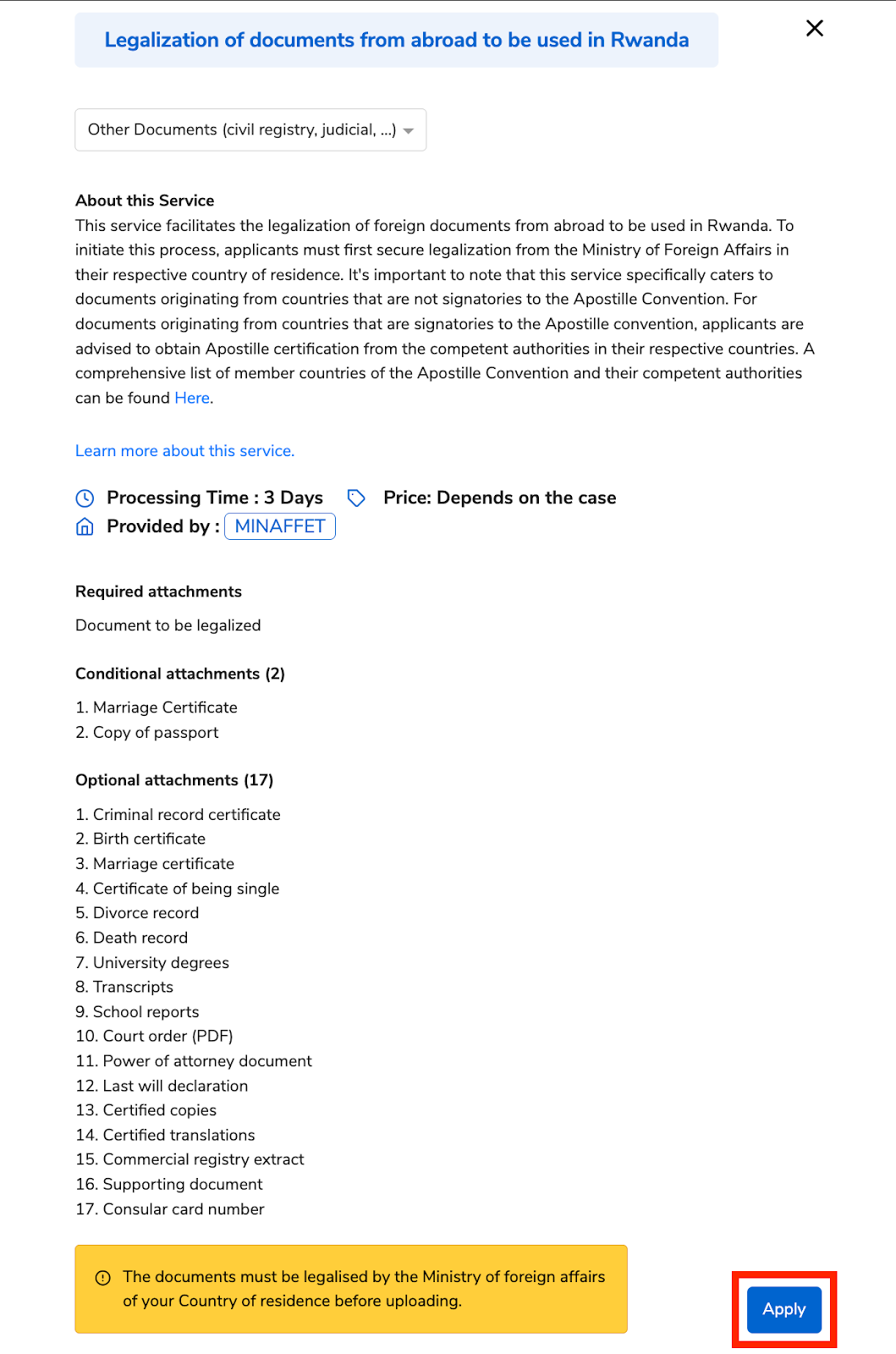
This service facilitates the legalisation of foreign documents from abroad to be used in Rwanda. To initiate this process, applicants must first secure legalisation from the Ministry of Foreign Affairs in their respective country of residence. It's important to note that this service specifically caters to documents originating from countries that are not signatories to the Apostille Convention. For documents originating from countries that are signatories to the Apostille convention, applicants are advised to obtain Apostille certification from the competent authorities in their respective countries. A comprehensive list of member countries of the Apostille Convention and their competent authorities can be found here.
The processing time is 3 days, and the service fee depends on the following cases;
If the documents will be used in a country that is part of the Apostille Countries, then the application will be free of charge.
If the documents will be used in a country NOT part of the Apostille countries, the service cost is 10,000 Rwf.
Prerequisites:
Rwandan applicants must have their national IDs, and foreigners must have their passport numbers
Foreigners residing in Rwanda must have their foreign IDs
Refugees must have their Refugee IDs
Required attachments
Document to be legalised
Conditional attachments (2)
Marriage Certificate
Copy of passport
Optional attachments (17)
Criminal record certificate
Birth certificate
Marriage certificate
Certificate of being single
Divorce record
Death record
University degrees
Transcripts
School reports
Court order (PDF)
Power of attorney document
Last Will Declaration
Certified copies
Certified translations
Commercial registry extract
Supporting document
Consular card number
Note:
The documents must be legalised by the Ministry of Foreign Affairs of your Country of residence before uploading.
Follow these simple steps to help a User apply for this service.
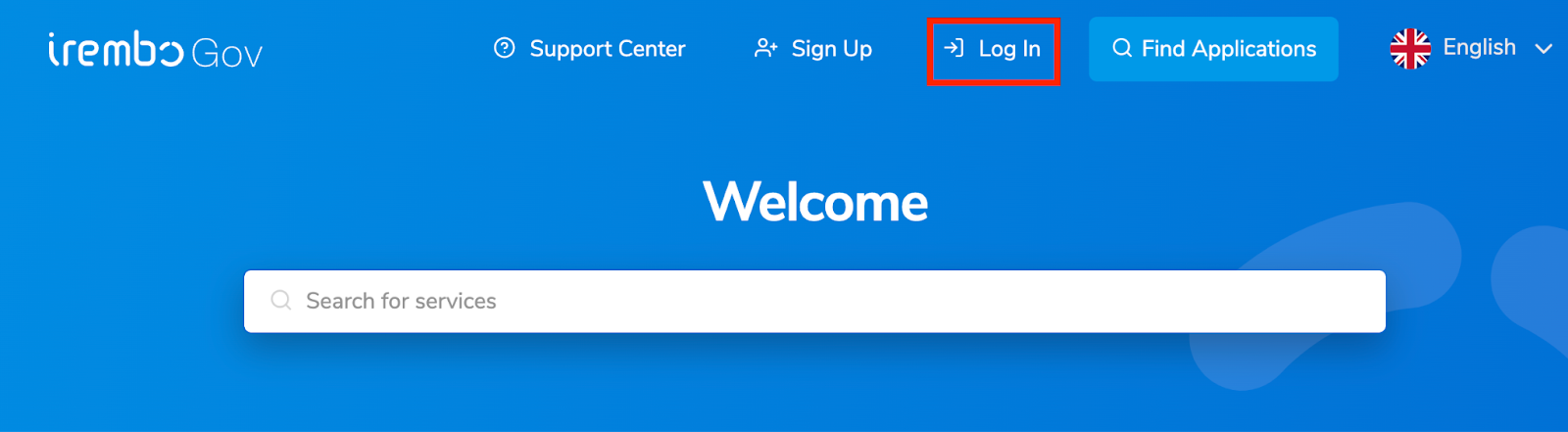
Visit www.irembo.gov.rw and log in to your agent account.
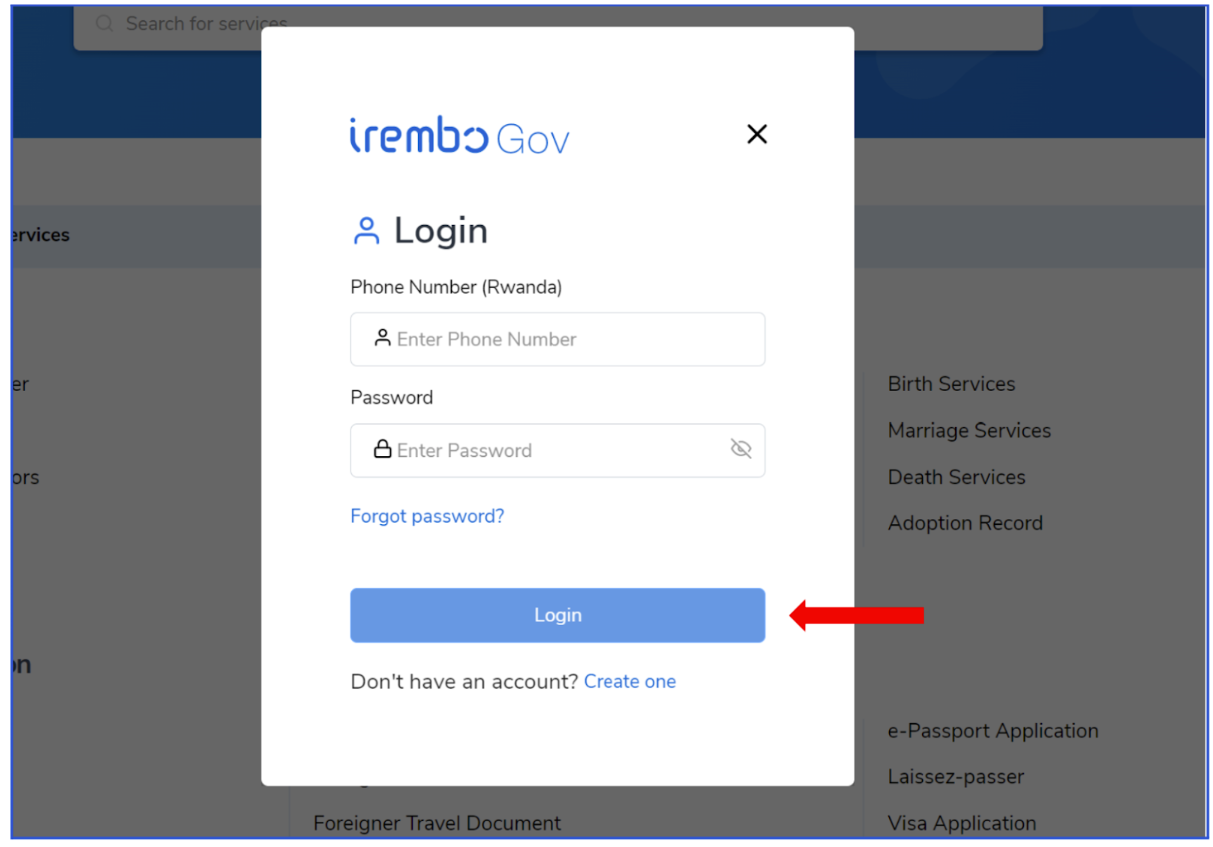
A small window will pop up. Fill in both your phone number and your password, then click login.
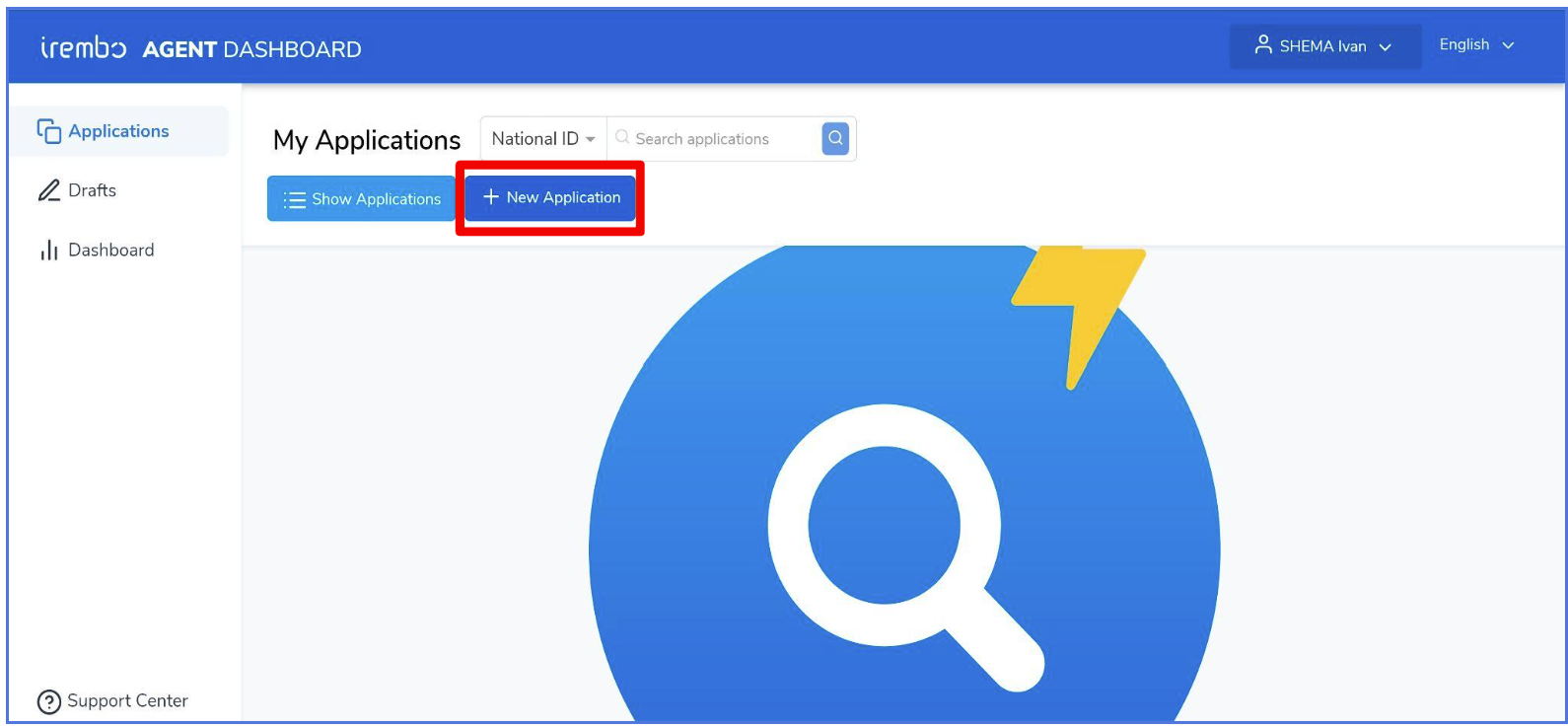
Click the "new application" icon to start a new application.
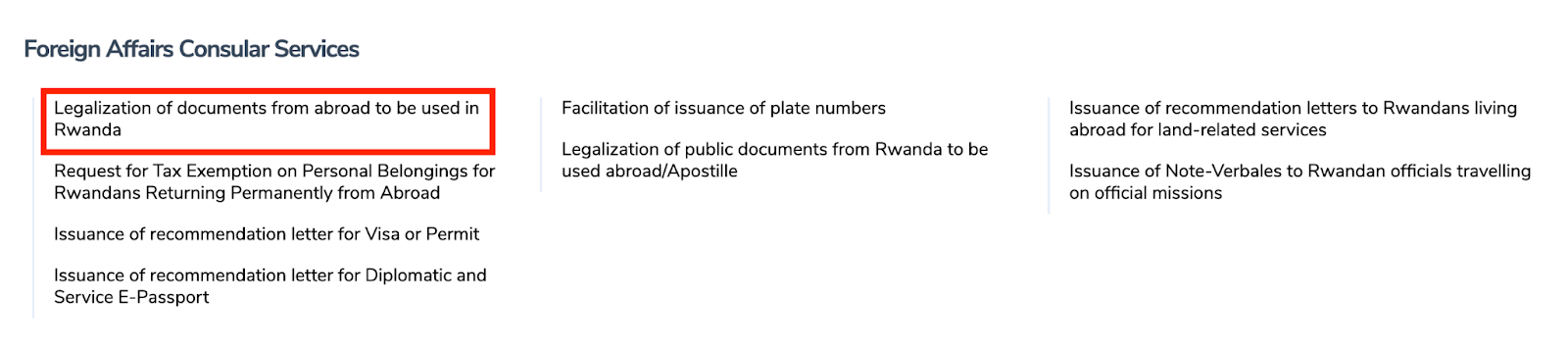
Under the category “Foreign Affairs and Consular Services”. Click “Legalisation of documents from abroad to be used in Rwanda”.
From the drop-down menu, select “Other Documents (civil registry, judicial, …)”.
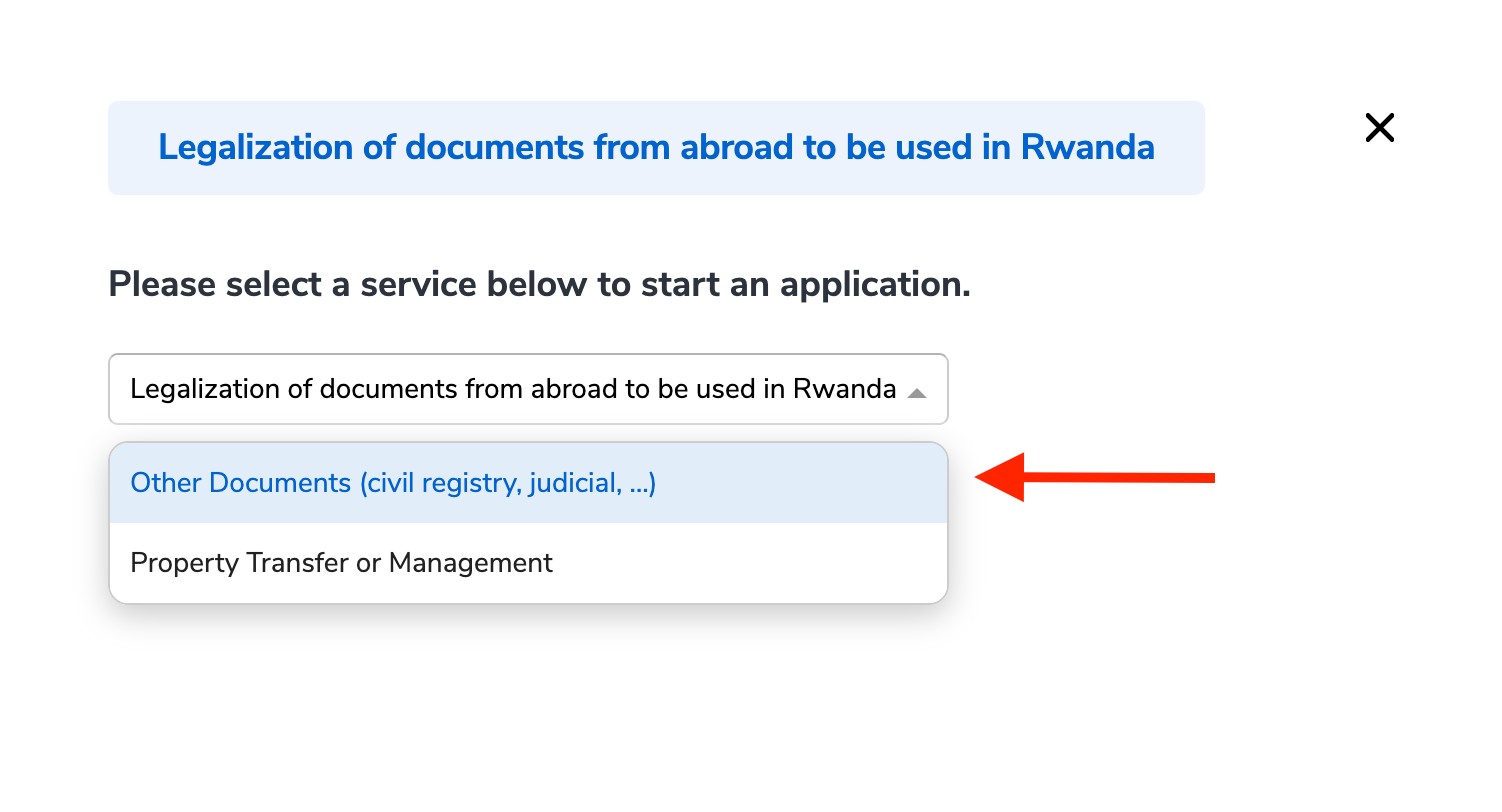
Read the service description and the required attachments and click Apply.
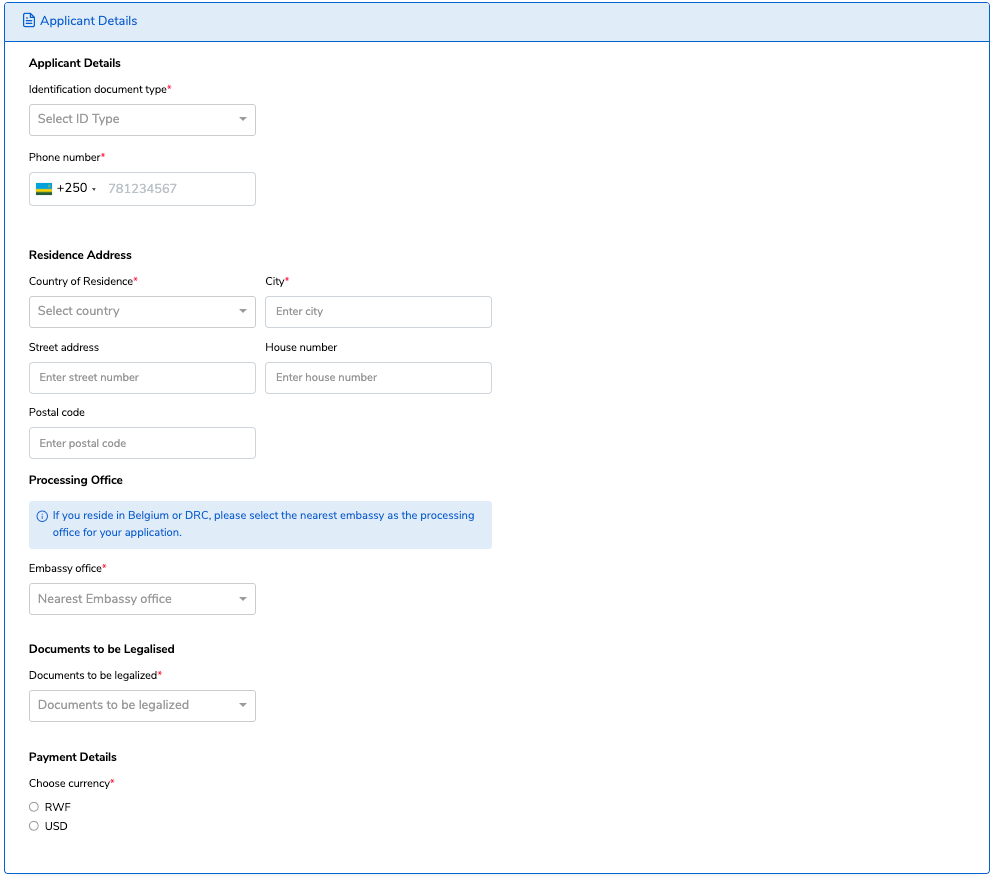
Fill in the User’s information, “Applicant Details” and “Residence details,” then select the type of documents to be legalised, the Embassy office, and finally, select the currency.
Upload the requested supporting documents and click next.
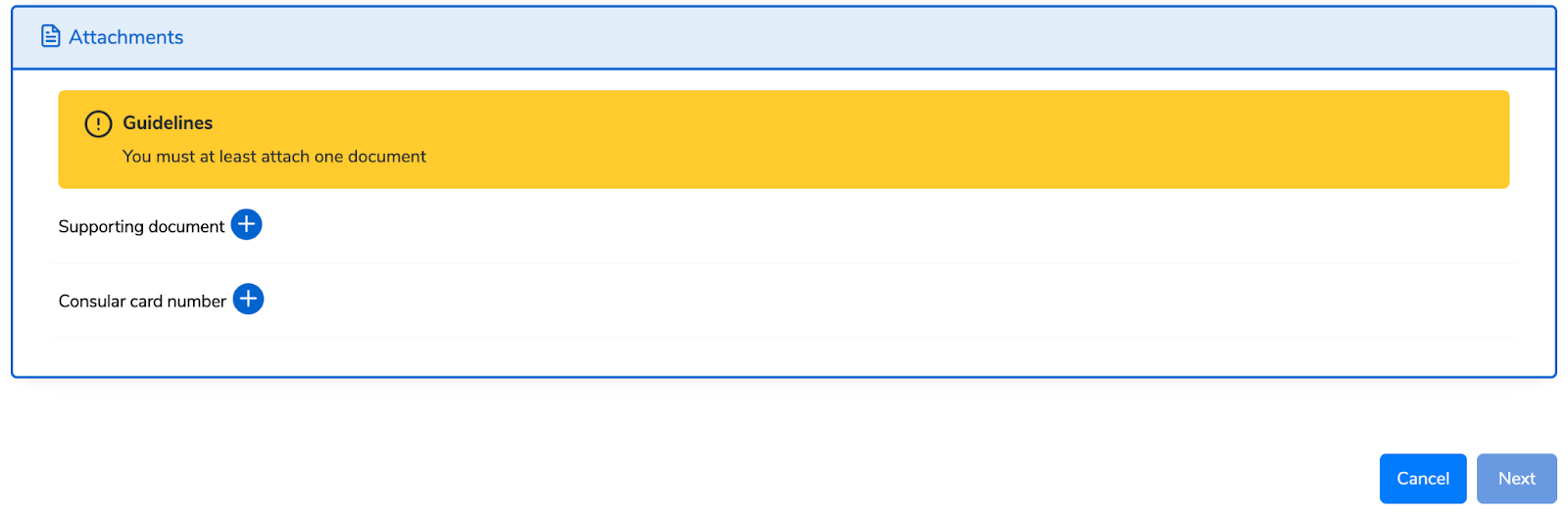
Note: The attachments requested depend on the type of documents to be legalised.
Required attachments when the documents to be legalized are the Civil Registry Documents
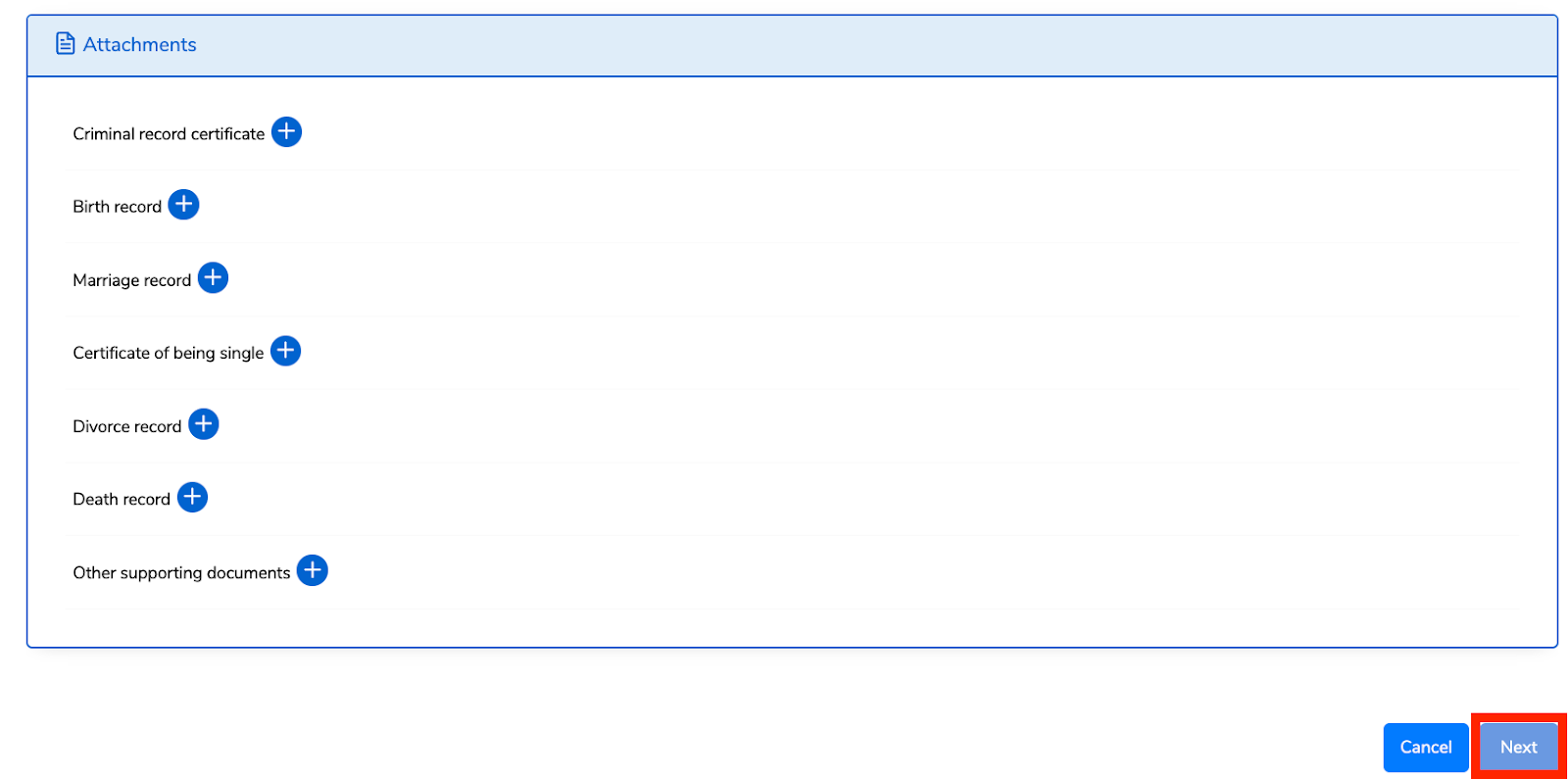
Required attachments when the documents to be legalized are Academic Documents
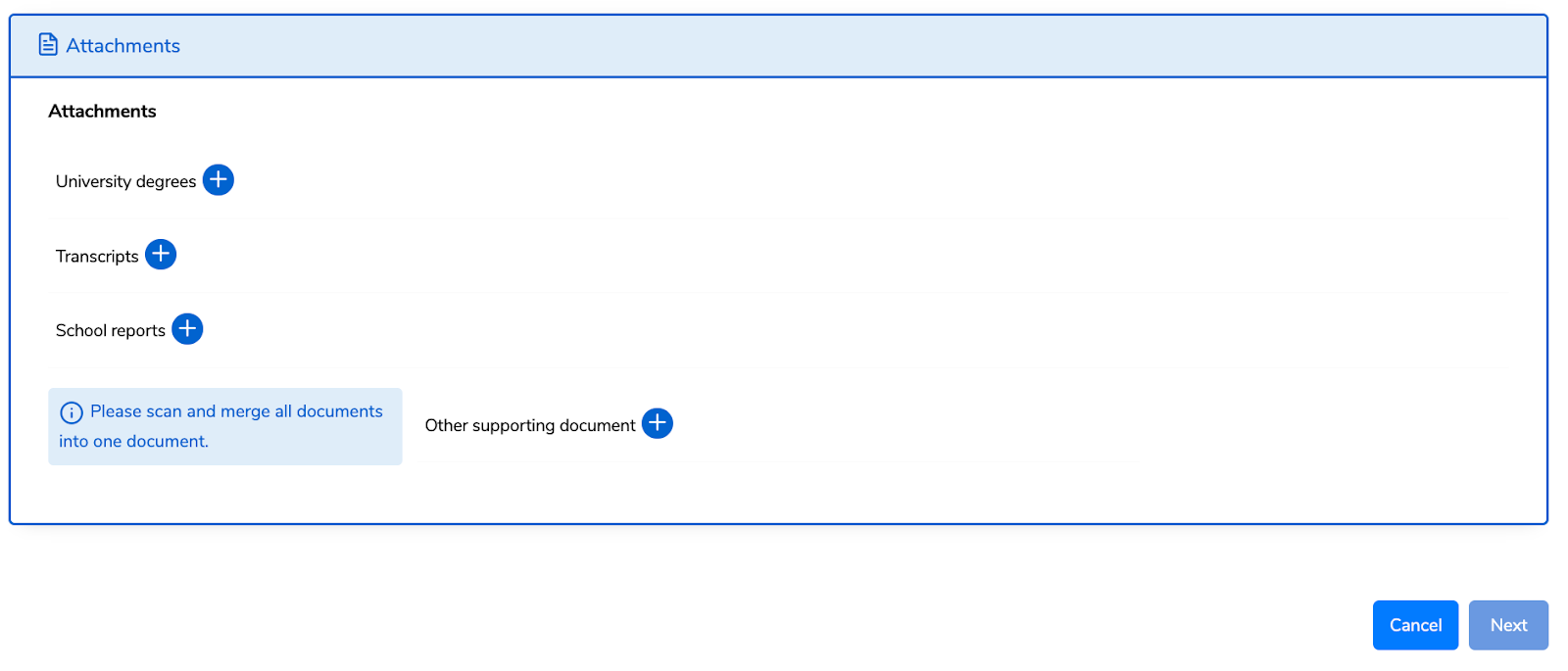
Required attachments when the documents to be legalized are Judicial Documents
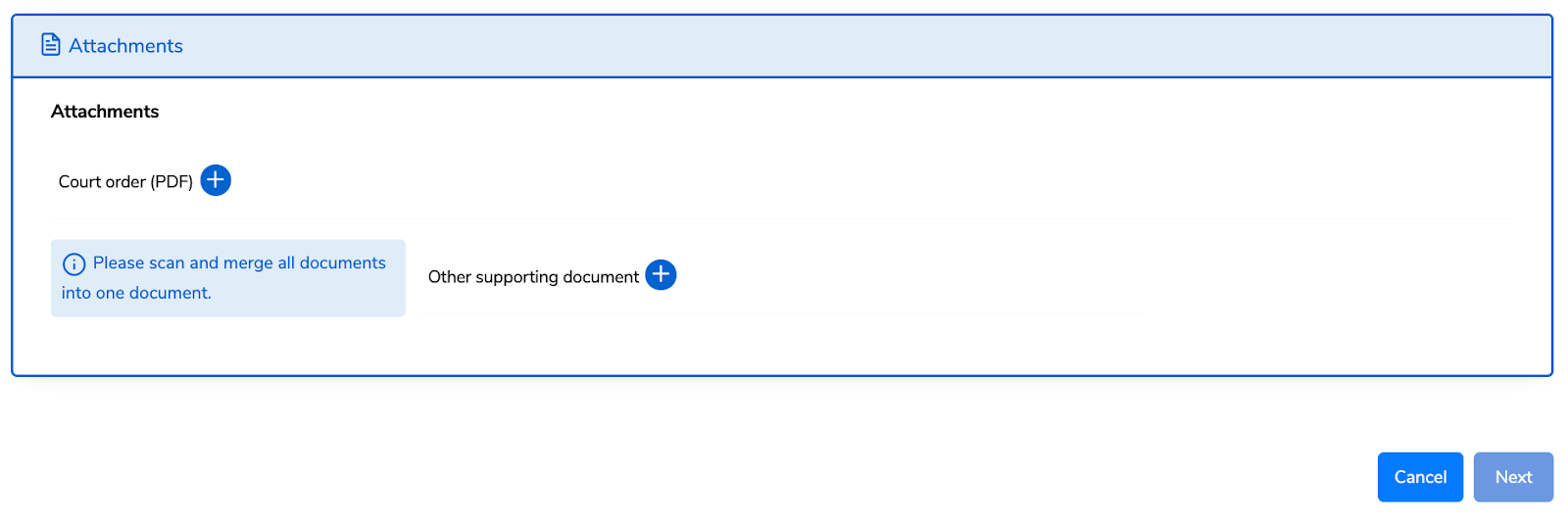
Required attachments when the documents are to be legalized are Notarial acts, Documents
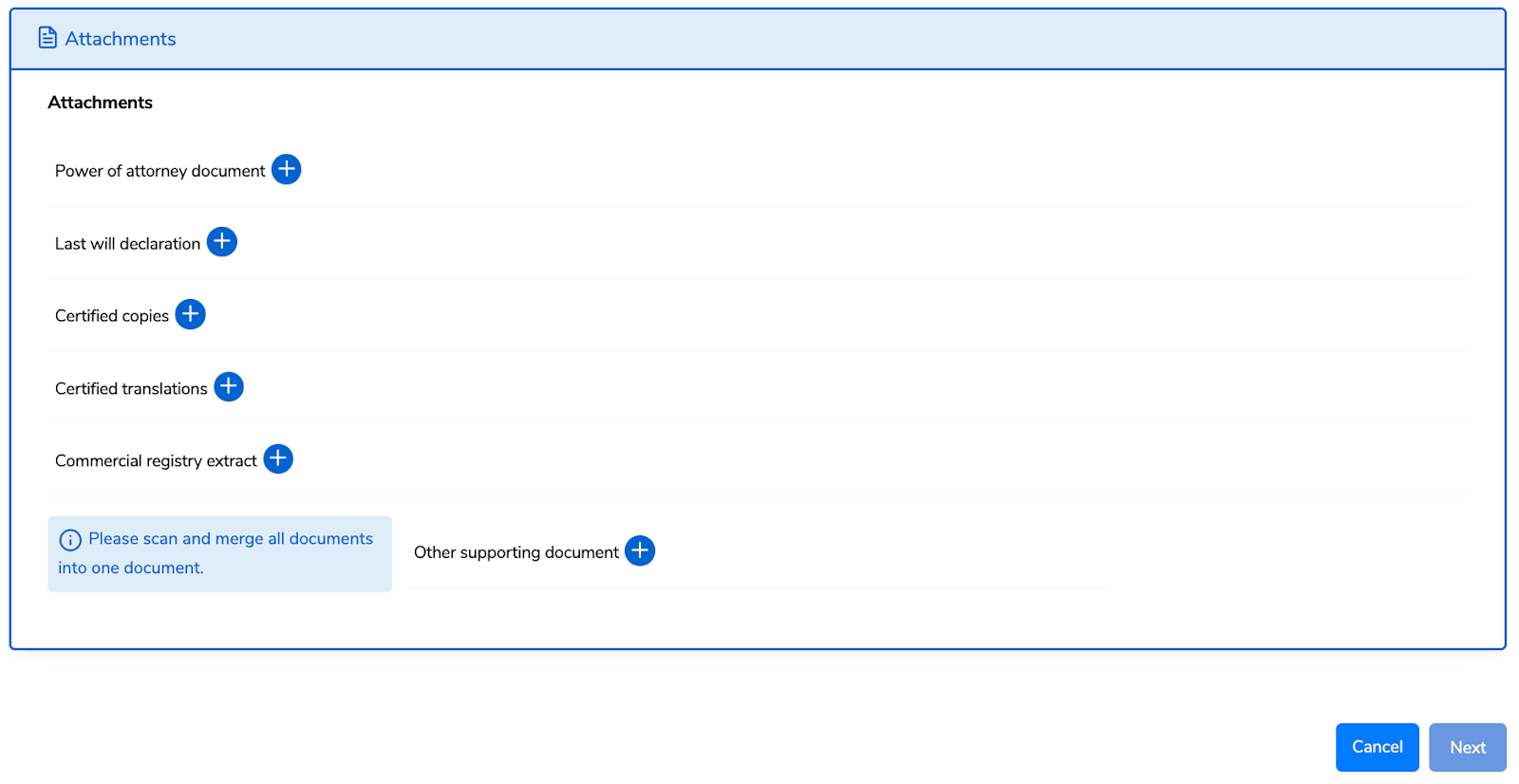
Verify that the user’s information is accurate, enter their phone number and email address, check the verification box, and click Submit.
A billing Number/ID (88…) will be generated for the user to make their payment. Click Pay.
Applicants can choose their preferred mode of payment. For more information about payment modes, click here.
Upon submission, the user’s application will be processed by the selected Embassy offices and the Ministry of Foreign Affairs in Rwanda. They will receive an email or SMS notifying them about any change in the status of their application.
Once the processing officers approve the user’s application, they will receive their e-certificate containing a QR code via email or download it on the IremboGov platform.
This QR code will have the legalised documents embedded in it.